
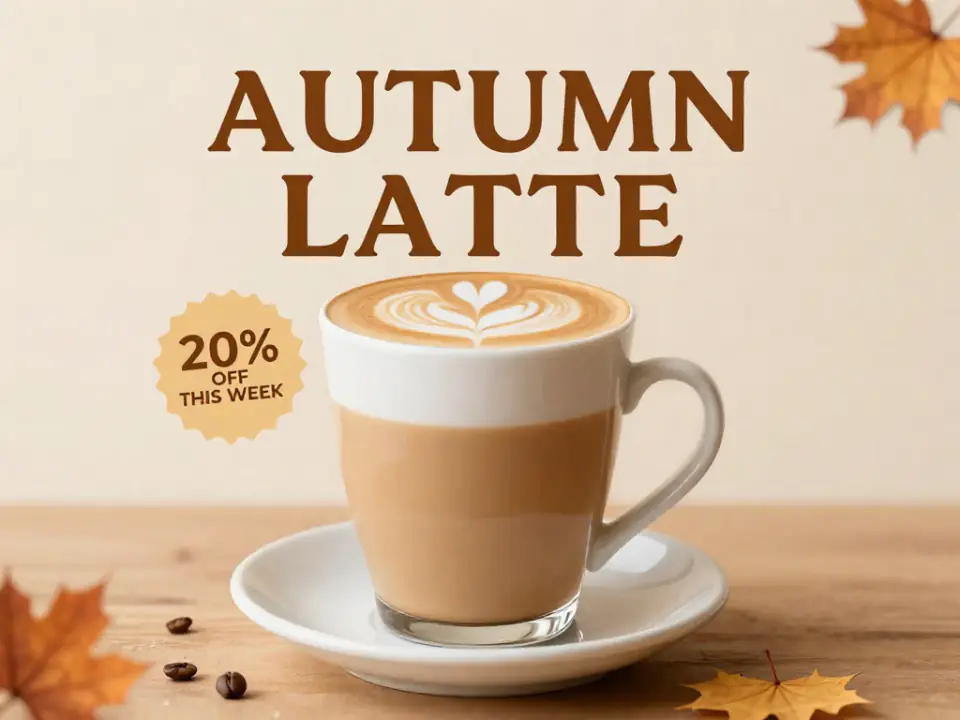
Z-Image Poster Generator
Give it the headline, the offer and a mood. Z-Image lays out the type and the picture together, and Chinese or English titles both come out legible.
Type a prompt and get a photoreal image back in seconds. Z-Image Turbo renders skin, light and street signs in English or Chinese for about one credit an image, and the Base tier gives you more variety when you need it.
Nudity, sexual content and edits that undress real people aren't supported and will be blocked. Terms of Service
Every picture below came out of Z-Image on ZImagePro. Pick one to load its prompt, tier, ratio and seed into the generator.
Use cases
Posters, logos, thumbnails, infographics, sticker sheets and comic panels. At about a credit a try on Turbo, you can run ten versions and keep the best one.
Give it the headline, the offer and a mood. Z-Image lays out the type and the picture together, and Chinese or English titles both come out legible.
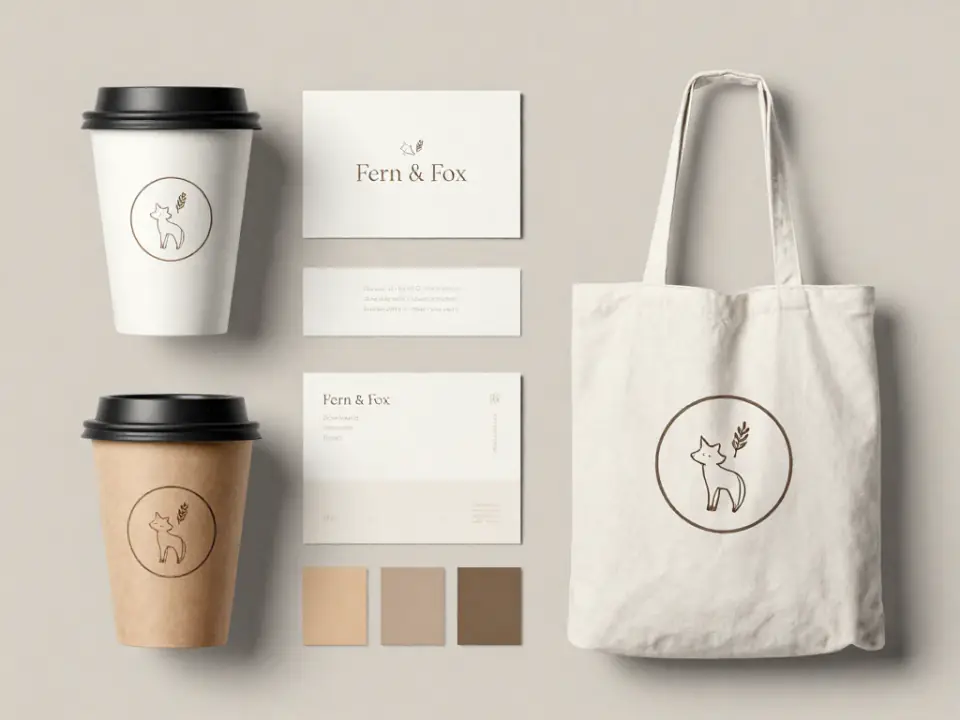
Name, mood, colors. You get a mark, a wordmark and a few mockups in one image to react to, then keep generating until one sticks.

Big readable titles, a clear face or object and loud colors that still work at phone size. Cheap enough to test a dozen variants.
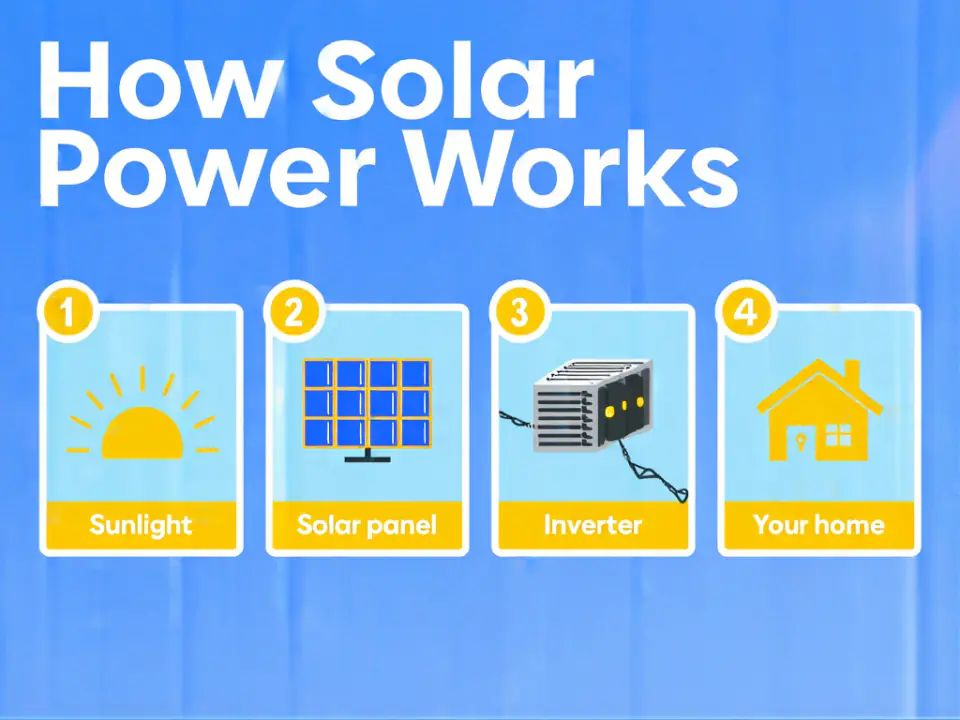
List the steps and the labels. Z-Image draws numbered panels with simple icons; check every number and word before you publish.
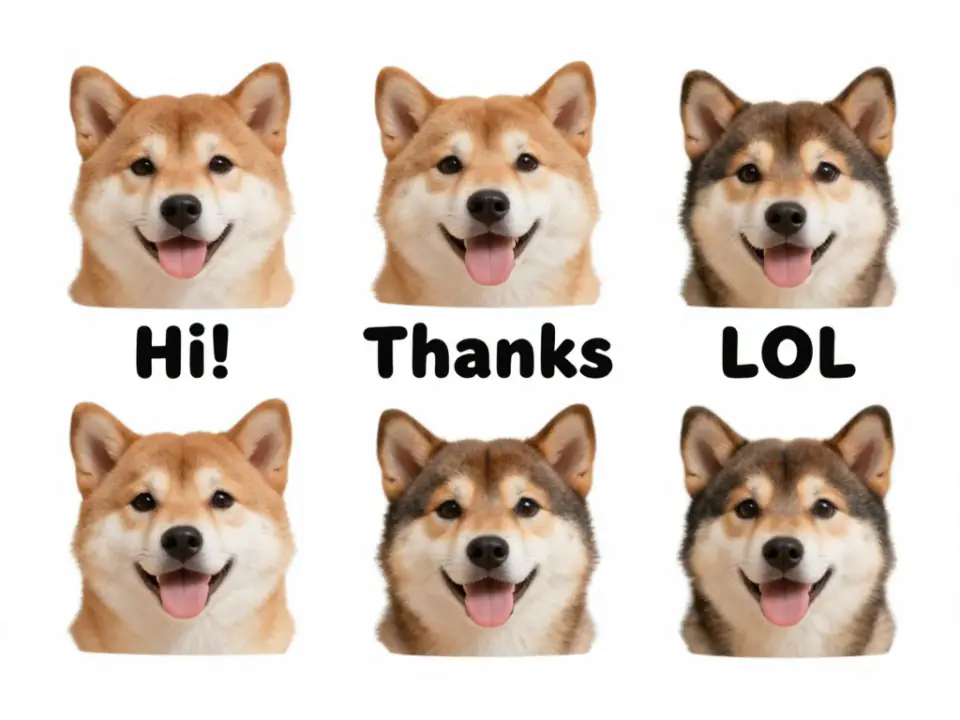
A sheet of one character in several moods with short captions and die-cut borders, ready to cut out for chat apps or print.
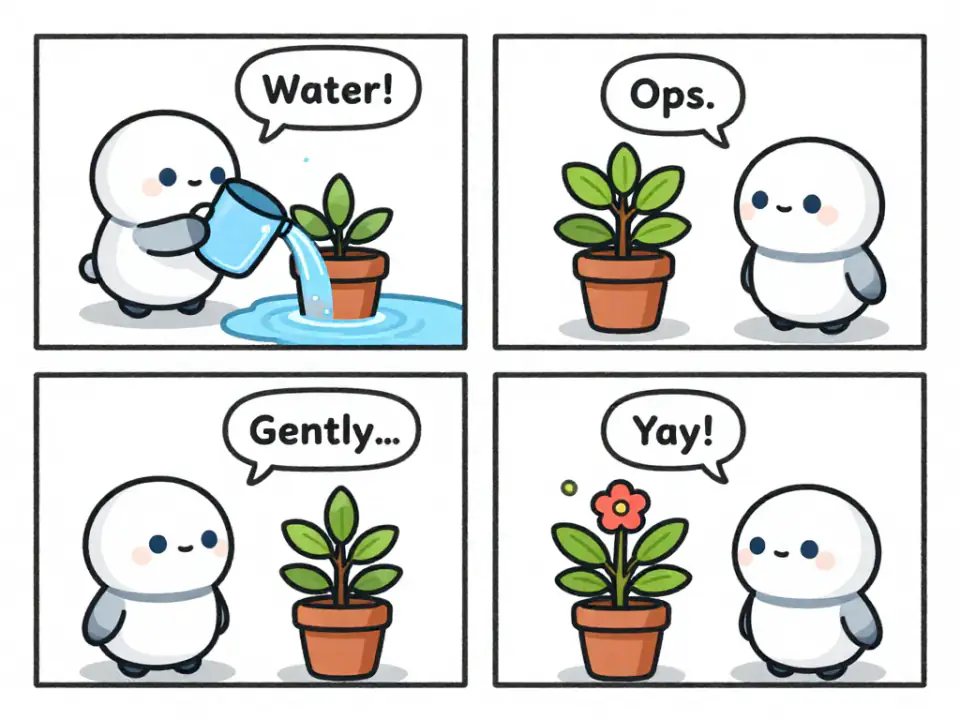
Four panels, one cast, short speech bubbles. Useful for pitching a scene or planning shots before you draw them properly.
Reference images
On the left is the reference we attached, on the right what Z-Image Turbo made from it with the prompt below. It keeps where things are and redraws everything else, so use it for restyles, not for touch-ups that must keep a face.
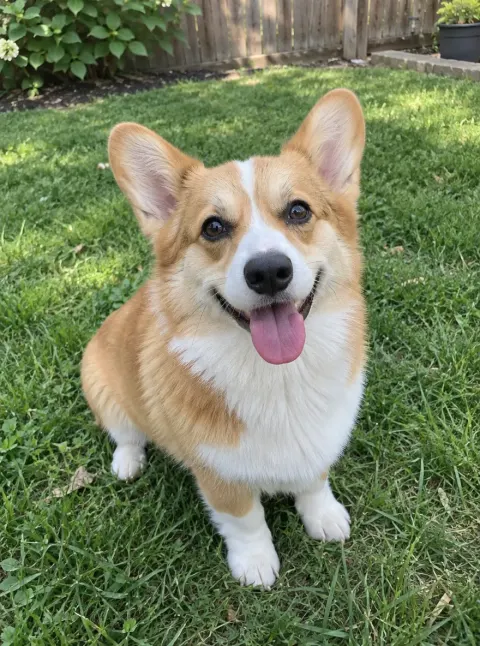
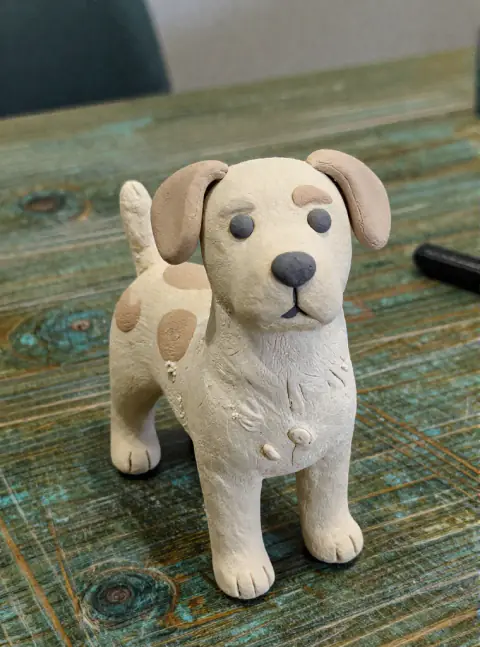
A corgi photo becomes a handmade clay figure on a wooden table: same pose, same ears, new material.
Turn this dog into a handmade clay figurine standing on a wooden desk, with visible fingerprints and soft matte clay texture. Keep its breed, markings, expression and pose.
How it works
Write what you want to see in English or Chinese. Quote any words that must appear in the image. Add one reference image if you want Z-Image to keep a layout.
Turbo costs 1 credit and is the quickest. Base costs 2 and varies more between tries. Choose 1024 or 1536 px, same price; the button shows the cost before you start.
Not quite right? Generate again for a new take, or fix the seed and change one word at a time. Everything you make is saved to your library.
Why ZImagePro
An open 6B model from Alibaba's Tongyi Lab, served without a GPU, a ComfyUI graph or a waitlist. One prompt box and a price you can read before you click.
Z-Image Turbo finishes in 8 steps and costs 1 credit. The Base model takes longer and costs 2, but Tongyi Lab says it gives more variety from seed to seed and follows long prompts more closely. Switch with one tap.
Tongyi Lab reports strong English and Chinese text rendering, and it shows: shop signs, menus and packaging come out readable. Put the words in quotes and check rare long words before you print.
Attach one photo or sketch and Z-Image keeps its layout while it follows your prompt. Good for turning a pet into a clay figure, a sketch into a render or summer into winter. It redraws the picture, so faces will change.
Set a seed to get the same picture again from the same prompt and settings. Every gallery example on this page loads its seed, so you can reproduce it and then change one word at a time.
Try it free, pick a plan when you need volume, and cancel whenever you like.
Lite
For side projects and occasional images.
~$0.010 / credit
From ~$0.010 per image
Includes
Pro
For regular content, shops and social channels.
~$0.008 / credit
From ~$0.008 per image
Everything in Lite, plus
Ultra
For heavy use and small studios.
~$0.007 / credit
From ~$0.007 per image
Everything in Pro, plus
Tax is included where it applies; the price shown is the price you pay.
FAQ
ZImagePro is an online Z-Image generator. Write a prompt to make a new image, or attach one reference image and describe the result you want. Pick Z-Image Turbo for speed or the Base model for more variety, and your images stay in your library.
Z-Image is an open-source 6-billion-parameter image model from the Z-Image team at Alibaba's Tongyi Lab, released under the Apache 2.0 license. Z-Image-Turbo came out in November 2025 and the full Z-Image model in January 2026. Tongyi Lab says Turbo needs only 8 steps and reaches sub-second speed on H800 GPUs; on ZImagePro a Turbo image usually takes a few seconds end to end.
Start with Turbo: it costs 1 credit, comes back fastest and looks the most polished. Switch to Base (2 credits) when Turbo keeps giving you similar faces or compositions, or when a long prompt needs to be followed closely. Base is slower, especially at 1536 px.
The seed fixes the starting noise. Same prompt, tier, size, ratio and seed gives you the same image again; leave it empty for a fresh result every time. Turbo tends to vary little between seeds, so for very different takes change the prompt or switch to Base.
Yes. New accounts get free credits, enough for several Z-Image Turbo images. After that you use credits from a plan or a one-off pack, and the Generate button always shows the cost first.
Good for headlines, signs, labels and short menus in English or Chinese, which is one of the things Tongyi Lab highlights. Long or rare English words are sometimes misspelled, so quote the exact text and proofread before anything goes to print.
Not in the sense of retouching. Z-Image on ZImagePro takes one reference image and redraws it to match your prompt, keeping the layout and colors as closely as you ask. That suits restyles like clay figures, anime or a season change. It will not keep a face or a product exactly, and it cannot combine several photos.
Describe the subject, the setting, the light and the style in plain sentences, in English or Chinese. Put any text that must appear in quotes and say where it goes. Keep wording you like and change one detail at a time, with a fixed seed if you want the rest to stay put.
Fifteen aspect ratios, from 3:1 panoramas to 1:3 tall strips, at 1024 or 1536 pixels on the long side. Both sizes cost the same; 1536 takes about twice as long. With a reference image and the ratio on Auto, the result follows the reference's shape.
The Z-Image model weights are released under Apache 2.0. Images you make on a paid ZImagePro plan can be used commercially under our Terms of Service. You are responsible for what you depict, so avoid real people's likenesses and other people's trademarks.
No. ZImagePro is an independent product and is not affiliated with, endorsed or sponsored by Alibaba Group or Tongyi Lab. It runs the open Z-Image model through third-party inference platforms.
Sign up, take your free credits and see a Z-Image Turbo result in a few seconds.